See it in action
Watch Agent Recon™ monitor a live Claude Code session in real time.
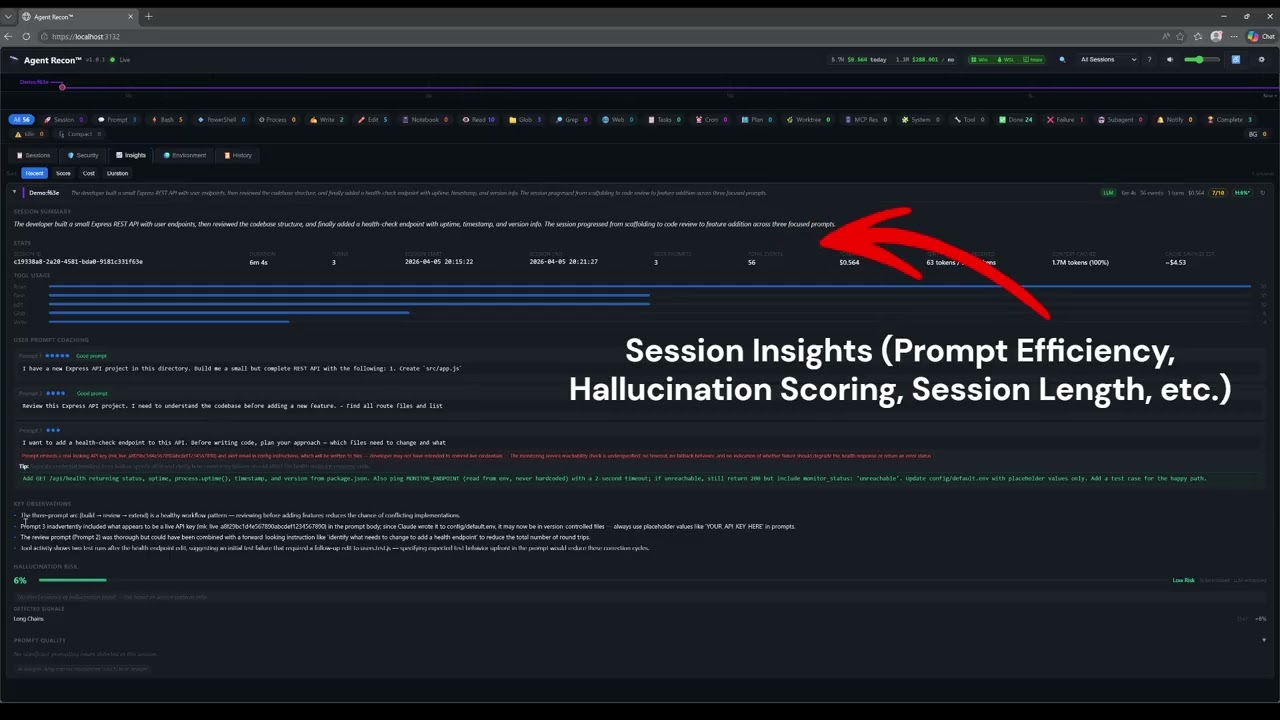
Monitor every tool call, security event, token cost, and session in real time. Know exactly what your AI agent is doing.
Watch Agent Recon™ monitor a live Claude Code session in real time.
Agent Recon™ captures every lifecycle event from your AI coding agent and presents it in a live dashboard.
Every tool call, prompt, and completion streams live to your browser via WebSocket. Filter by category, session, or environment.
Automatic risk classification for Bash commands, file writes, and network calls. LLM-powered chain analysis connects related events into attack narratives.
Per-session and cumulative token usage with real-time cost estimates, priced per billing mode (API, Bedrock/Vertex, or subscription). Token cost tracking is available for Claude Code.
LLM-generated summaries and recommendations for each coding session. Understand patterns, spot inefficiencies, and improve your workflow.
Works on Windows, macOS, Linux, and WSL. Hook scripts detect your environment automatically. One-command install on any platform.
7-day rolling analysis of your development environment with actionable recommendations to optimize your agent workflow.
Community tier is free forever. Upgrade for LLM-powered analysis features. You supply your own API keys — zero marginal cost to us.
Quick answers to common questions.
Agent Recon™ ships with full support for Claude Code, Cursor, and GitHub Copilot CLI. The installer detects Cursor and Copilot CLI and wires up their hook forwarders automatically. Token and cost tracking is Claude Code-only (Cursor and Copilot CLI do not expose token usage in their hook payloads); every other feature works for all three.
Yes. LLM-powered features (security chain analysis, insights, prompt coaching) require your own API key for the LLM provider of your choice (Anthropic, OpenAI, or Google). Agent Recon orchestrates the analysis — you pay the LLM provider directly for inference.
All event data stays on your local machine in a SQLite database. An optional, opt-in telemetry heartbeat sends version, platform, and a random install ID to help us understand adoption. No code, prompts, or personal data is ever transmitted. See our Privacy Policy.
Same features. Different legal terms. Personal must be purchased with your own funds. Professional is for employer-reimbursed use and includes invoice billing and priority support. This follows the JetBrains licensing model.
Yes — Cursor and GitHub Copilot CLI are supported alongside Claude Code. When the installer detects ~/.cursor/ or ~/.copilot/ it registers a hook forwarder for that tool automatically; re-run agent-recon install if you add one later. The core dashboard, security, and analysis pipelines are agent-agnostic.
Each license key supports up to 3 simultaneous device activations. You can deactivate a device from the Agent Recon settings panel to free up a slot.
The Community tier is free forever with full real-time monitoring, token tracking, and regex-based security classification. LLM-powered features are visible in the UI but require a paid license to activate. Try the free tier first — upgrade when you want the intelligence layer.
You can cancel anytime through the Lemonsqueezy customer portal. Your license remains active until the end of the current billing period.
Everything you need to get started and go deep.
Install the prerequisites, then two commands to go live.
Set-ExecutionPolicy RemoteSigned -Scope CurrentUser ·
Allow Node.js through firewall ·
Restart terminal after installing
xcode-select --install if npm install fails (prebuilt binaries usually suffice)
Then run the guided installer:
Prefer a package manager? Install via Homebrew (macOS / Linux) or Scoop (Windows) — both install Node.js for you.